ISN Design System
Most of a 20-year-old CRM was data tables, and every one of them was built differently. I turned 25 screens into one data table system.
- Role
- Product Designer (Design Systems, Core UX, UI)
- Team
- 1 product manager, 7 engineers, 1 designer (me)
- Duration
- Aug 2022 to 2024
- Platform
- Enterprise web CRM
- Outcome
- Consolidated 150+ bespoke elements into 20 core components, standardizing the platform's highest-traffic screens.
Overview
ISN is the CRM that US home inspectors use to run their businesses, handling scheduling, field management, reporting and payments. Launched in 2002 and acquired by Porch in 2017, the platform grew for twenty years without a design system. Every screen was built in isolation, creating a fragmented interface that confused users and slowed down development.
I led the product design effort alongside one product manager and seven engineers to unify the product. Rather than delivering a superficial visual refresh, I created a modular table system designed to scale across the entire application.
1. The real problem: 150 different answers to the same question
To diagnose the fragmentation, I ran a UI audit across 25 core screens in all 7 sections of the app.
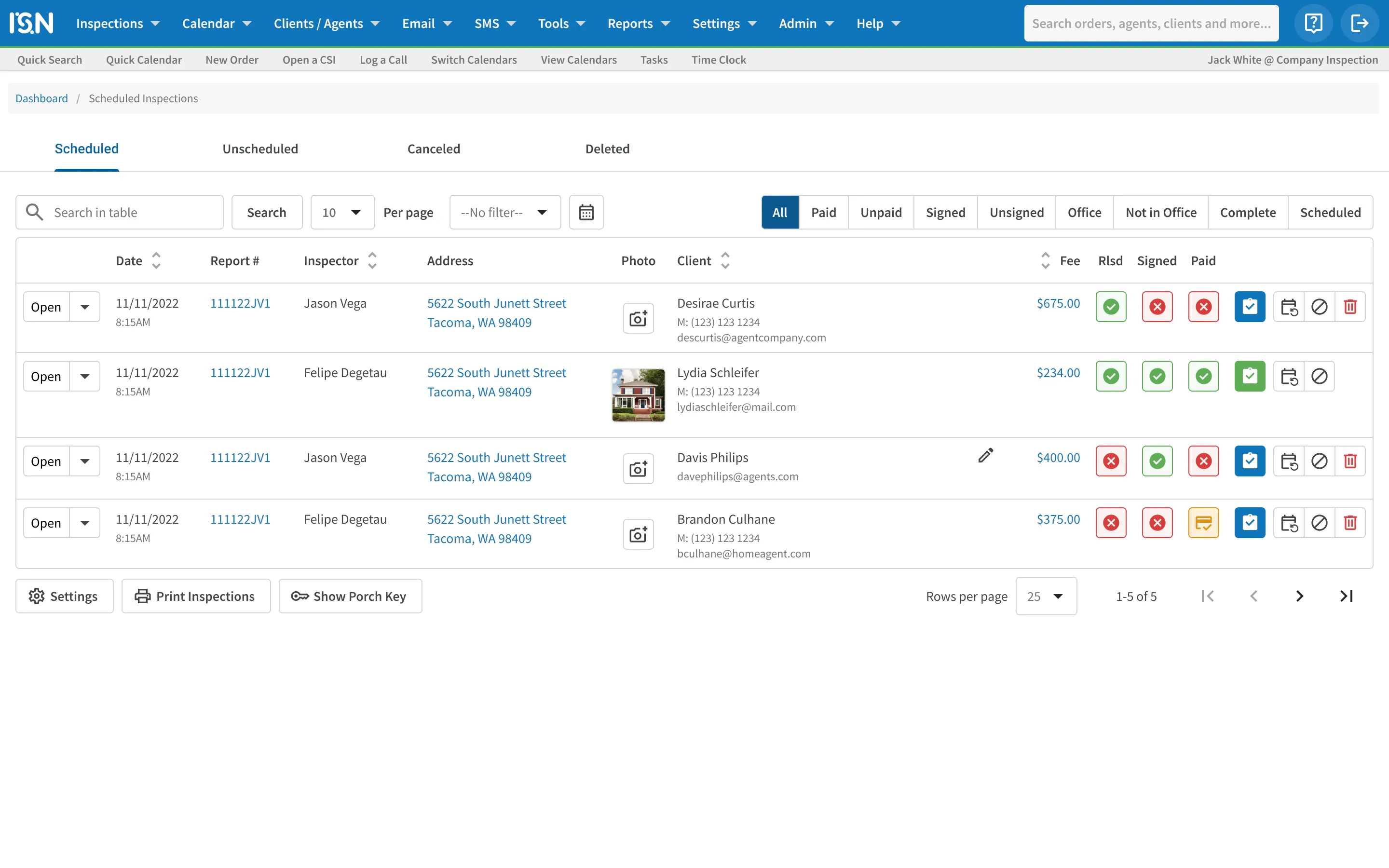
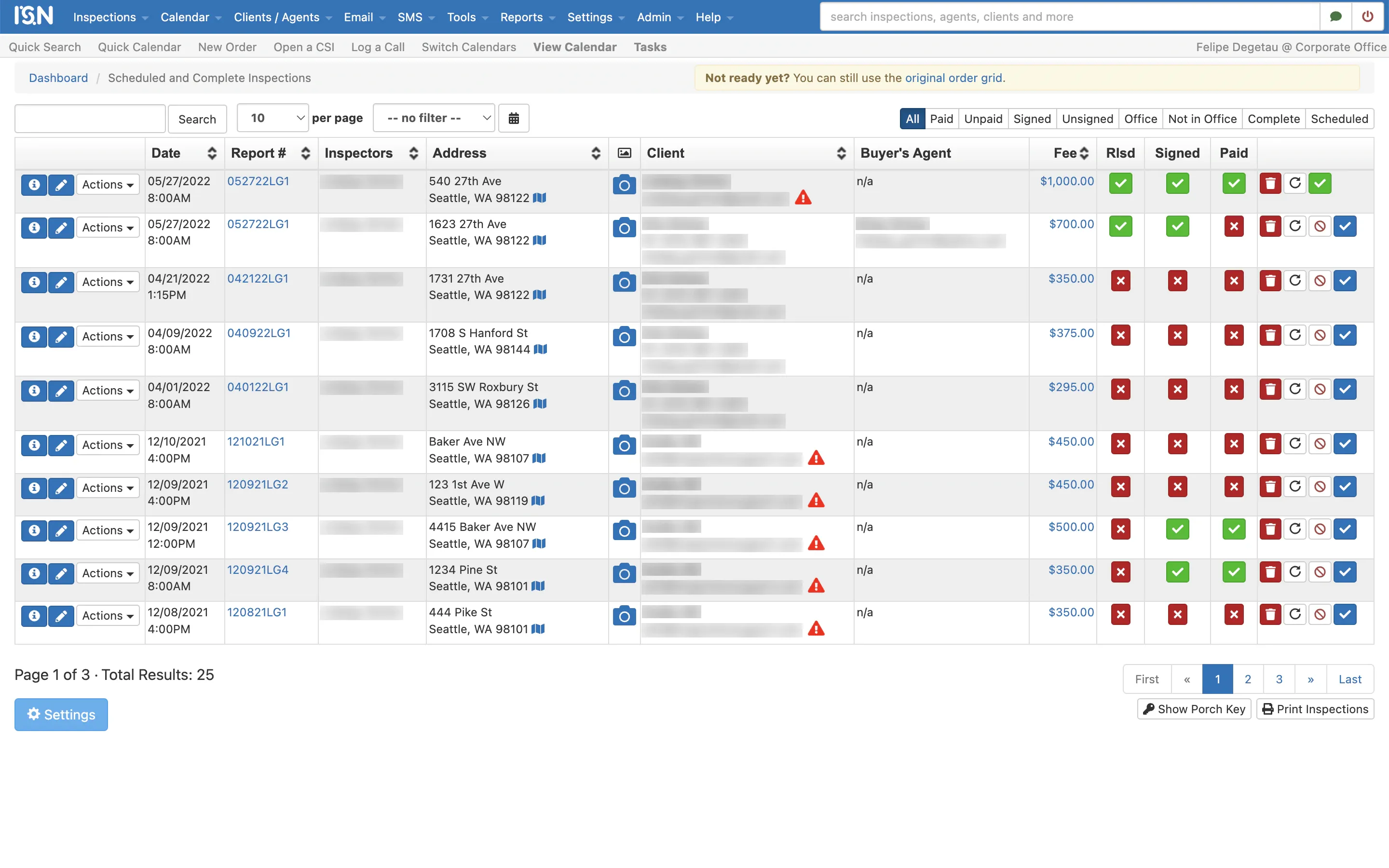
The audit revealed the real culprit: ISN is mostly an application of data tables, and those tables had drifted apart over two decades. I found nine different search bars, five distinct pagination styles, eighteen cell types, and over 150 disconnected components performing identical tasks.
This finding reshaped the project scope. ISN did not need fifty individually redesigned screens. It needed one table architecture that fifty screens could build upon.


2. Atomic architecture: designing from the cell outward
Instead of redesigning full templates, I structured the system using atomic design principles: first the cell, then the row, then the table wrapper, and finally the peripheral controls like filters, search and pagination.
The audit collapsed into:
- 10 table components with responsive variants covering all cell states.
- 10 shared wrapper components for sorting, filtering, batch actions and pagination.
- A unified foundation with 10 text styles and an accessible color palette, documented so engineers, or the next designer, could build from it.


3. Phased rollout by traffic volume
With the component library defined, we rebuilt the product table by table, prioritizing pages by user density:
- Scheduled Inspections: the primary daily dashboard where inspectors spend most of their time.
- Inspections management: high-volume operational lists.
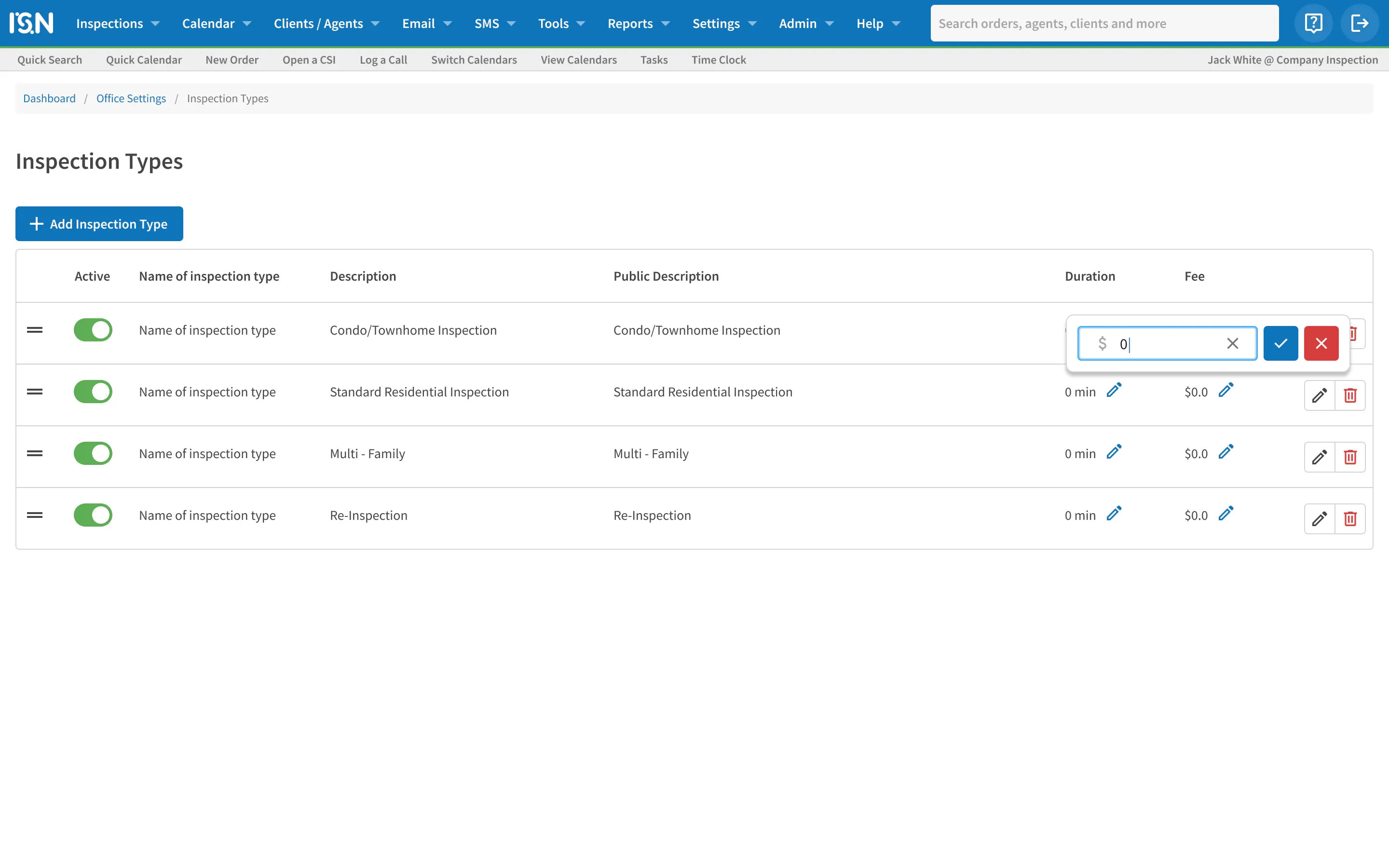
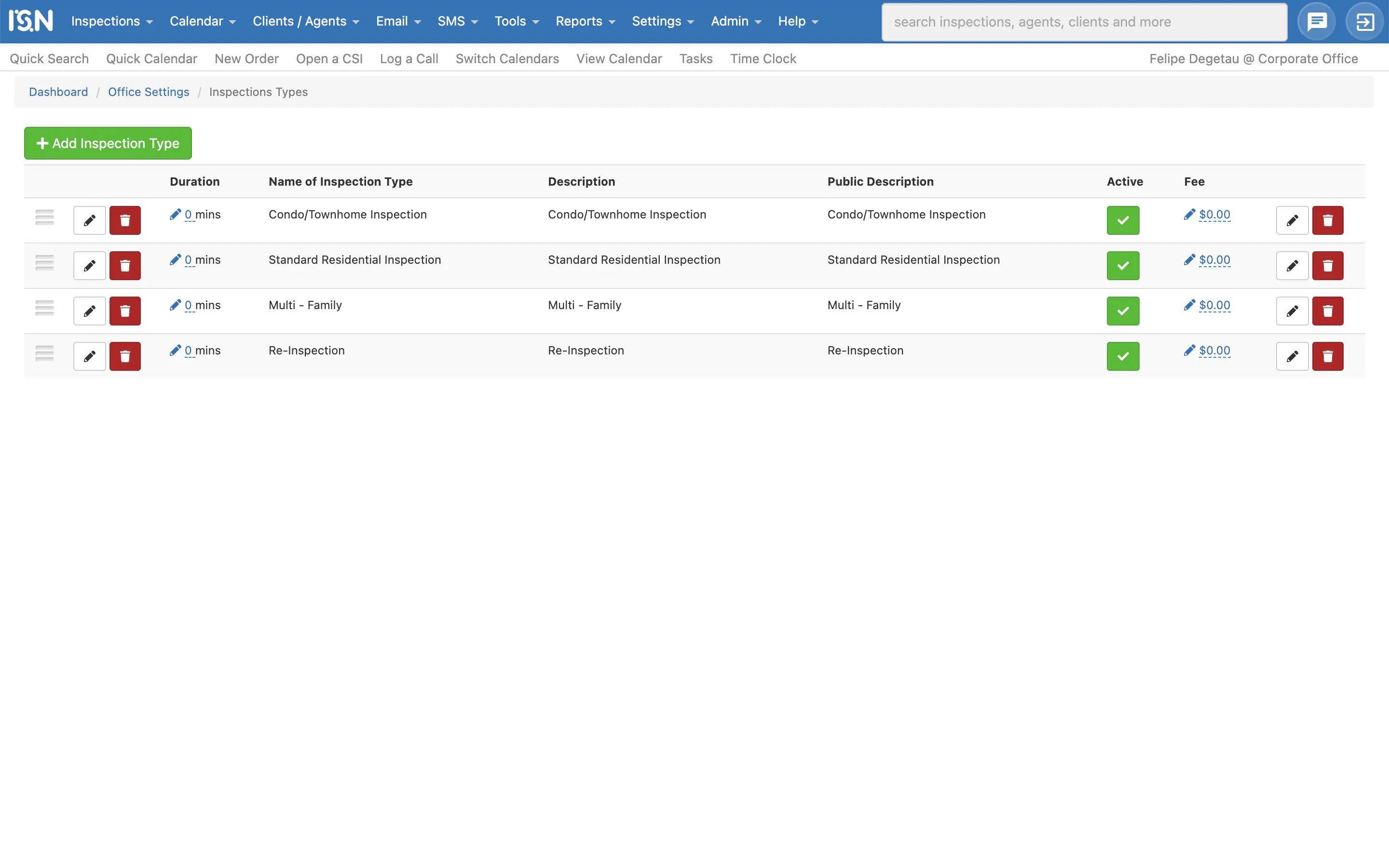
- Office Settings: complex administrative configurations like coupons and service types.
Around 50 functional page types were eventually transitioned to the standardized layout.
4. Usability over aesthetic bias
ISN’s primary users are inspectors and office operators over 50 years old, often working on varied monitor resolutions.
My initial design proposed subtle, minimalist visual indicators to reduce cognitive load. Direct usability testing pushed back quickly: users needed clear contrast, larger hit targets and distinct color cues to parse complex schedules quickly. A cancelled inspection had to look unambiguously cancelled.
We settled on high-visibility outlined status badges that maintain scannability without cluttering the screen. Designing for real field readability meant prioritizing user needs over minimalist styling trends.
5. Tradeoffs, governance, and what shipped
Midway through execution, stakeholders scoped technical delivery down to a CSS-driven implementation to preserve the underlying legacy backend logic:
- What shipped. The interface layer unified. High-traffic tables now share consistent interaction models, typography and visual clarity.
- What fell short. While the component library and tokens were fully defined in Figma, engineering implemented each page using CSS overrides rather than adopting a shared component codebase.
- The takeaway. The system sped up design and product delivery, turning each new screen into a modular assembly task instead of reinventing layouts. Still, a system restricted to Figma acts primarily as a pattern library. Next time I would push for the components to land in code alongside the first screen.
6. Core reflections
- Audit with data first. Placing 150 fragmented UI components side by side made the case for a design system better than any presentation could.
- Solve the smallest recurring unit. Nailing cell-level behavior solved the table, which in turn solved dozens of disparate screens.
- User contrast expectations trump designer taste. In dense enterprise software, readability matters more than minimalist taste.
Before screens are from the live product, with customer data blurred. After screens come from the design files, with sample data.